
Download VHD Recovery Tool – Secure VHD File Recovery Software for Windows, Mac, Android & iOS
VHD Recovery Tool is a professional-grade data recovery software engineered to rescue lost or corrupted data from damaged VHD (Virtual Hard Disk) files. Designed specifically for Windows environments, this powerful tool supports a wide range of file systems including NTFS, FAT32, HFS+, EXTX, and more. Whether your VHD file was corrupted due to sudden system crashes, accidental deletion, formatting errors, or disk failures, VHD Recovery Tool offers three intelligent recovery modes—Standard, Advanced, and Deep—to suit varying levels of data loss severity.
With its robust scanning engine and intuitive interface, users can quickly identify and extract valuable files without technical expertise. The software is ideal for both individual users and enterprise environments seeking a reliable, secure, and efficient solution to recover critical virtual disk data. Download VHD Recovery Tool today and restore your digital assets with confidence.
Advanced Recovery Modes for Every Data Loss Scenario
One of the standout features of VHD Recovery Tool is its three-tiered recovery system—Standard, Advanced, and Deep—each tailored to address different degrees of VHD file corruption. The Standard mode is perfect for minor corruptions or accidental deletions. It performs a quick scan, identifying and recovering accessible files within minutes, making it ideal for users who need fast results without extensive processing time.
For more complex issues such as partition table damage or file system inconsistencies, the Advanced mode activates a deeper analysis, reconstructing directory structures and recovering hidden or fragmented data. This mode is particularly useful for system administrators managing virtual machines or IT professionals restoring critical VMs. When faced with severe corruption—such as completely unreadable VHDs or those affected by malware or hardware failure—the Deep mode comes into play.
This exhaustive scan meticulously examines every sector of the VHD, reconstructing files even when metadata is missing. It’s the last resort for data recovery, offering the highest chance of success in extreme cases. What sets VHD Recovery Tool apart is not just the number of modes, but their intelligent design.
The software automatically detects the file system type and adjusts its recovery strategy accordingly, minimizing user input and maximizing success rates. All recovery processes are non-destructive, meaning your original VHD remains untouched. Additionally, the tool supports previewing recovered files before saving, allowing you to verify integrity before finalizing the recovery.
Whether you're a home user recovering personal photos or a business professional restoring financial records, VHD Recovery Tool’s multi-mode approach ensures you have the right tool for the job—no matter the damage.
Wide Compatibility & Seamless Installation Across Platforms
Although VHD Recovery Tool is primarily built for Windows, its functionality extends to a variety of environments, making it a versatile choice for users across different ecosystems. The software is compatible with Windows 10, 8.1, 8, 7, and Windows Server editions, ensuring broad accessibility for both personal and enterprise users. For Mac users, while the native application is Windows-only, the tool can be used via virtualization software like Parallels or VMware, allowing macOS users to access and recover VHD files efficiently.
Similarly, Android and iOS users can leverage cloud-based recovery workflows by transferring VHD files to a Windows PC or using remote desktop solutions to run the software. This cross-platform flexibility enhances its usability in mixed-device environments. Installing VHD Recovery Tool is straightforward and secure.
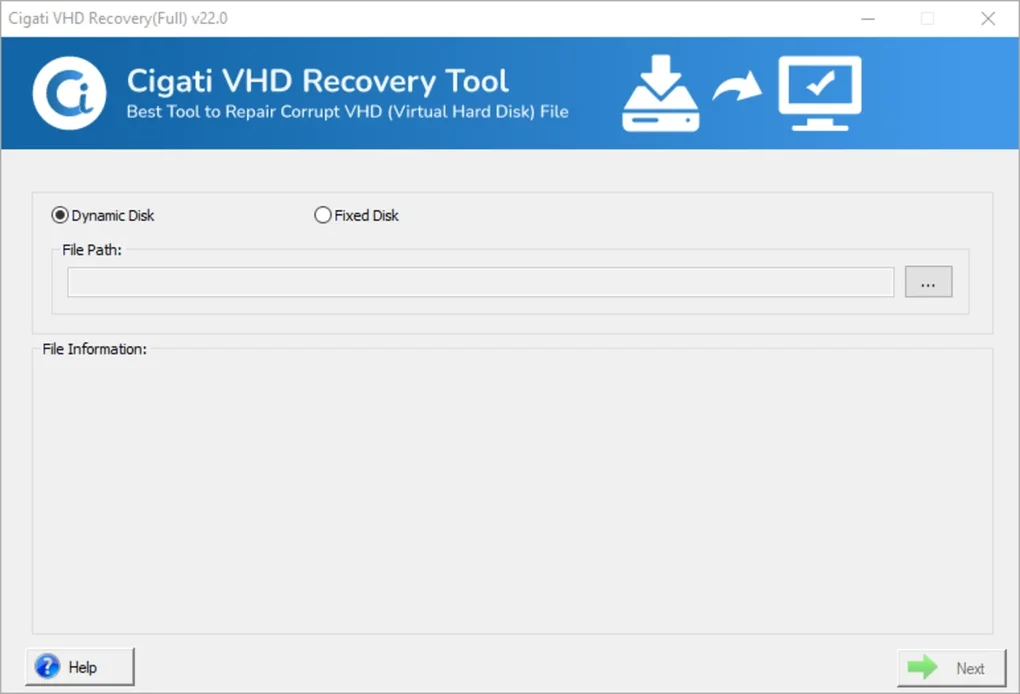
Simply download the latest version from the official website, run the installer, and follow the on-screen prompts. The setup process is lightweight, taking less than 2 minutes and requiring minimal system resources. Once installed, the application launches with a clean, intuitive interface that guides users through the recovery process step by step.
No technical knowledge is required—just select the damaged VHD file, choose your recovery mode, and start the scan. The software also includes an automatic update feature that checks for new versions and security patches, ensuring you always have the latest tools to combat evolving data threats. After recovery, files can be saved directly to local drives, external storage, or network locations.
With support for multiple output formats and file system compatibility, VHD Recovery Tool ensures that recovered data is fully accessible and usable across devices. Its ability to handle large VHD files (up to 2TB) makes it suitable for enterprise-level data recovery, where virtual machine backups and cloud storage snapshots are common. Whether you're recovering a small personal VHD or a massive enterprise VM, the software performs reliably under pressure.
Key Features, Pros, and Cons at a Glance
- Three recovery modes: Standard, Advanced, and Deep for varying corruption levels
- Supports multiple file systems: NTFS, FAT32, HFS+, EXTX, FAT16, FAT64
- Non-destructive recovery – original VHD file remains unaltered
- File preview function before saving
- Supports VHD files up to 2TB in size
- Intuitive user interface for beginners and experts alike
- Automatic updates for enhanced security and performance
- Compatible with Windows 7 through Windows Server
Pros
- High success rate in recovering severely corrupted VHD files
- Fast scanning with minimal system resource usage
- Safe recovery process with no risk to original data
- Excellent file preview functionality for quality assurance
- Regular software updates ensure long-term reliability
Cons
- Mac and mobile support limited to indirect usage via virtualization
- Advanced features require some learning curve for new users
- Limited free trial version (only previews, no full recovery)
- Does not support VHDX format natively (requires conversion)
Frequently Asked Questions (FAQ)
Can VHD Recovery Tool recover data from a deleted VHD file?
Yes, VHD Recovery Tool can recover data from deleted VHD files, provided the disk space has not been overwritten. The software scans the raw disk sectors and reconstructs the file structure, making it effective for recovering accidentally deleted or lost virtual disks.
Is VHD Recovery Tool safe to use on my original VHD file?
Absolutely. The software uses a non-destructive recovery method, meaning your original VHD file remains completely unchanged during the scanning and recovery process. This ensures data safety and eliminates the risk of further damage.
Does VHD Recovery Tool support VHDX files?
VHD Recovery Tool currently does not support VHDX files directly. However, you can convert your VHDX file to VHD format using built-in Windows tools or third-party converters before using the software for recovery.
How long does the recovery process take?
Recovery time depends on the VHD size, corruption level, and selected mode. Standard mode can complete in under 10 minutes for small files, while Deep mode may take several hours for large, severely damaged VHDs. The software provides real-time progress tracking to keep you informed.
Can I recover individual files instead of the entire VHD?
Yes, VHD Recovery Tool allows selective recovery. After scanning, you can browse through the recovered file tree and choose specific files or folders to save, saving time and storage space.
Conclusion: Your Trusted Partner for VHD Data Recovery
If you’ve lost critical data due to a corrupted or damaged VHD file, VHD Recovery Tool is the most reliable solution available. With its powerful three-stage recovery system, broad file system support, and secure, non-destructive approach, it stands out as a top-tier tool for both casual users and IT professionals. The intuitive interface simplifies the recovery process, while advanced features like file previews and selective recovery ensure precision and efficiency.
Although it lacks native support for Mac and iOS, its compatibility with virtualization tools makes it accessible across platforms. The software’s regular updates and strong track record in real-world recovery scenarios make it a future-proof investment. Whether you're restoring a personal virtual machine or recovering business-critical data, VHD Recovery Tool delivers peace of mind.
Don’t risk permanent data loss—download VHD Recovery Tool today and take control of your digital recovery journey.







